Tearsheet Studio / About
About Tearsheet Studio
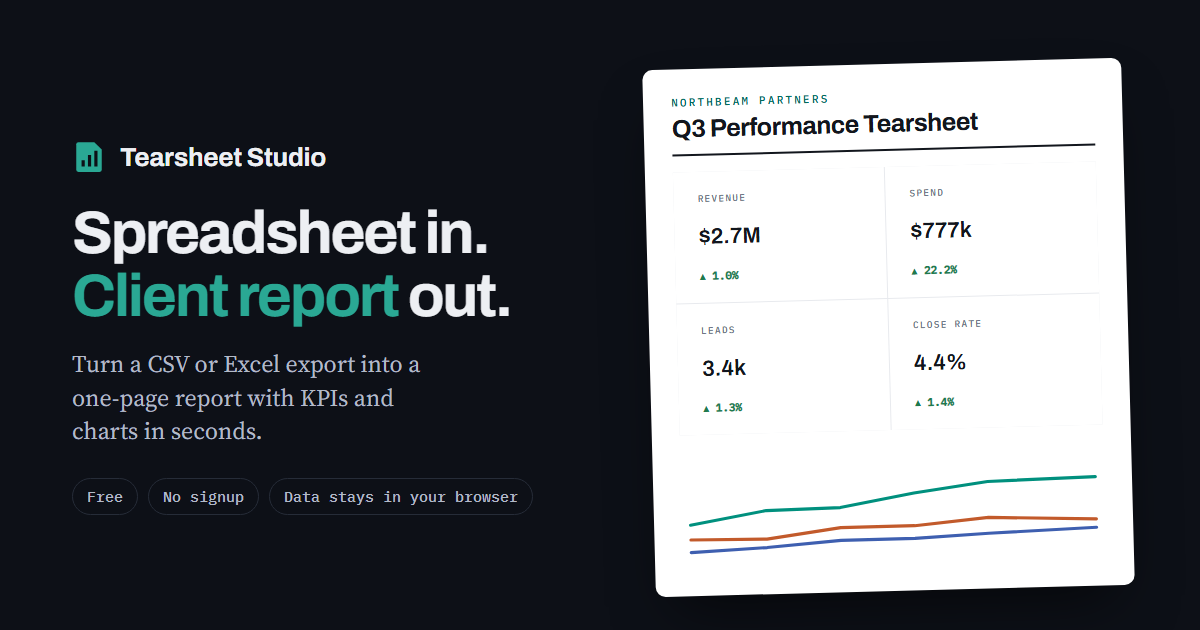
Tearsheet Studio turns a spreadsheet export into a one-page report, a tear sheet, that you can hand to a client, a manager or an investor. It runs entirely in your browser, and it's free.
What it does
- Reads CSV, TSV, XLSX and XLS files up to 25 MB, and works out delimiters, number formats (1,234.56 or 1.234,56) and date order by itself
- Builds a one-page report: headline figures with the change against the previous period, a trend chart, a ranking, a share-of-total bar and a detail table
- Lets you add a title, client name, logo, house colour and commentary, and reorder or hide sections
- Exports to PDF through your browser's print dialog, to a PNG image, or to a self-contained HTML file
- Saves reports and reusable templates as files on your own computer
Who it's for
- Agencies and consultants who send clients a monthly report
- Finance, fund and business teams who need a one-page summary of their own numbers
- Sales and marketing teams reporting a month or a quarter
- Analysts and freelancers who want a clean page instead of a spreadsheet attachment
How your data is handled
Your spreadsheet is read and processed inside your browser tab. It is never uploaded, there is no account, and nothing needs to be deleted afterwards. Reports and templates you save are files on your own computer.
We count visits and feature use with Umami, which sets no cookies and never sees your spreadsheet. The contact form sends only what you type into it. Fonts load from Google Fonts.
What's free
Everything available today is free during early access, with no sign-up and no usage limit. Some advanced features may become paid in a future release.
About the name
A tear sheet is a one-page summary of the numbers that matter. The term comes from print, when pages were literally torn out to be shared. Tearsheet Studio is an independent product and isn't affiliated with any other company, publication or product that uses the name Tearsheet.
Questions, a file it read wrong, or an idea for a feature? Use the contact form in the app. It's the fastest way to reach us.
Questions
Is Tearsheet Studio free?
Yes. Every feature is free during early access, with no sign-up.
Who can see my data?
Nobody but you. Your file is read inside your browser tab. It is never uploaded, so there is nothing to delete afterwards.
Do I need an account?
No. Open the app and import a file. Reports and templates save to your own computer.
Is it related to other products called Tearsheet?
No. Tearsheet Studio is independent and isn't affiliated with any other company, publication or product named Tearsheet.