Tearsheet Studio / CSV to PDF
CSV to PDF, as a report rather than a table dump
Most CSV to PDF converters print your rows as a grid. That's fine for archiving, but it doesn't show anyone what the numbers mean. This builds a PDF people will actually read.
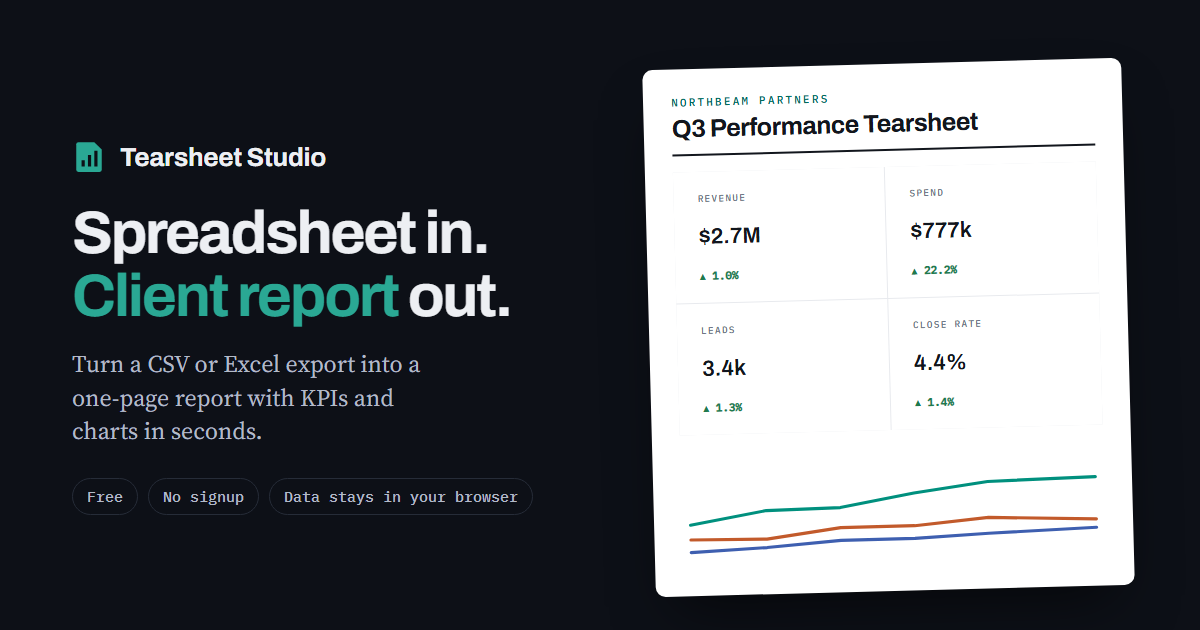
Plain converter or report?
| Plain CSV to PDF converter | Tearsheet Studio | |
|---|---|---|
| Output | Every row, printed as a grid | A one-page summary with a detail table |
| Charts | None | Trend, ranking and share of total |
| Headline figures | None | Up to four, with the change against the previous period |
| Branding | None | Title, client name, logo and colours |
| Best for | Archiving or printing every row | Showing someone what happened |
How to make the PDF
- Import your CSVThe delimiter, header row, dates and number format are detected automatically.
- Frame the reportChoose the headline measure, the breakout and the timeline, and pick up to four headline figures.
- Export to PDFOpen Export, choose Print / Save as PDF, and set the destination to “Save as PDF” in your browser's print dialog.
Built for paper
- Charts and headline figures are never cut in half across a page break
- A section that doesn't fit at the bottom of a page moves to the next page whole
- When a table does run onto another page, its header row repeats
- No browser address, date or file name printed in the margins
- Paper size follows your print dialog: US Letter by default, and A4 works too
Need every row of a very large file in a PDF? The detail table shows up to 40 rows, because this makes summaries, not archives. For a complete row-by-row printout, a plain converter is the right tool.
Questions
Does it work on Mac and Windows?
Yes. It runs in any current browser (Chrome, Edge, Firefox or Safari) and uses the browser's own print-to-PDF.
Is my CSV uploaded to a server?
Your file is read inside your browser tab. It is never uploaded, so there is nothing to delete afterwards.
Can I change the page size?
Yes, in the print dialog. The layout adapts to US Letter or A4.
Is the PDF free of watermarks?
There's no watermark, only a small “Made with Tearsheet Studio” line in the footer.
Can I get an image instead of a PDF?
Yes. Export → Download image (PNG) gives you a single image that's easy to paste into a slide or a chat message.